Grimoire
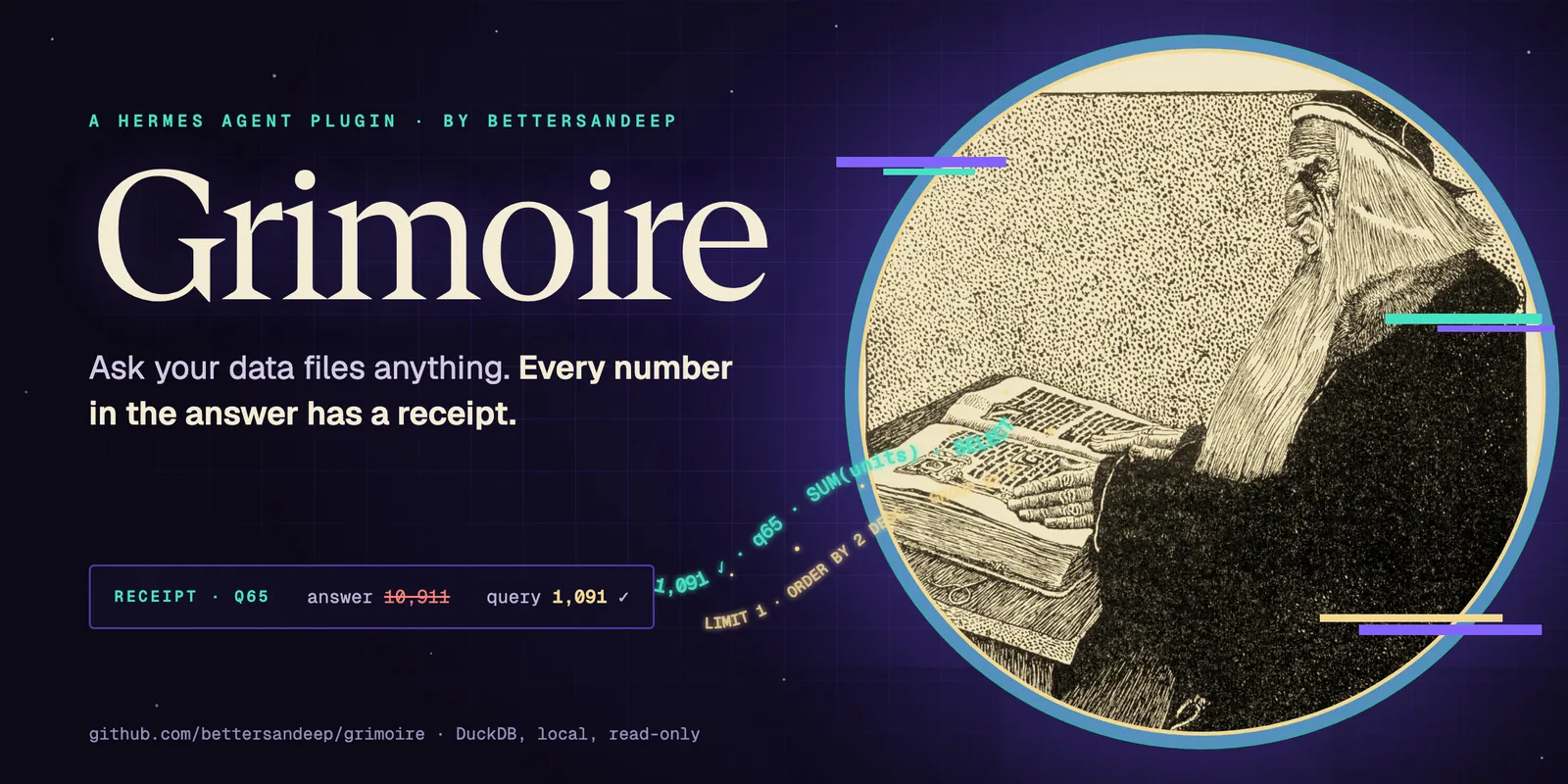
Grimoire is a plugin for Hermes Agent. Ask Hermes about your data files, and get answers that are fast, cheap and checked. Every number has a receipt.
View on GitHub - open source, MIT license.
Why I made it Link to heading
When you ask an AI agent about a big CSV file, it often reads the rows into the model. That is slow, it costs a lot of tokens, and you cannot easily see where a number came from. Sometimes the number is wrong and looks right.
Grimoire lets the model write one SQL query instead. DuckDB runs the query on your computer, and the model sees only the table names, the columns and the small result. After each reply, Grimoire checks every number against the query results.
What it does Link to heading
- Fast on big files: 100 million rows in a 5 GB CSV, answered in 12 s instead of 182 s, with the same question and the same model.
- Fewer tokens: about 35,500 input tokens per answer on Claude Haiku, Sonnet and Opus 5.5. That is 17% to 56% fewer than plain Hermes in 15 of 18 benchmark tests.
- Checked: every number in the reply must trace to a query result. Numbers with no source get a flag.
- Study your data with 0 tokens: a Data page in Hermes Desktop with charts, pivots, drill-down and a health score for each file.
- Learn as you go: learning mode shows how each answer was made, step by step, in plain words or SQL.
It works with CSV, TSV, JSON, NDJSON, Parquet and SQLite files.
It can also read a folder or a pattern such as sales_*.csv as one table.
Every number has a receipt Link to heading
Each answer cites its query, like [q3].
Under the answer, Grimoire adds a check line.
It tells you which numbers trace to a query, which numbers have no source, which rows a filter left out, and common mistakes in the data, such as one region spelled three ways.
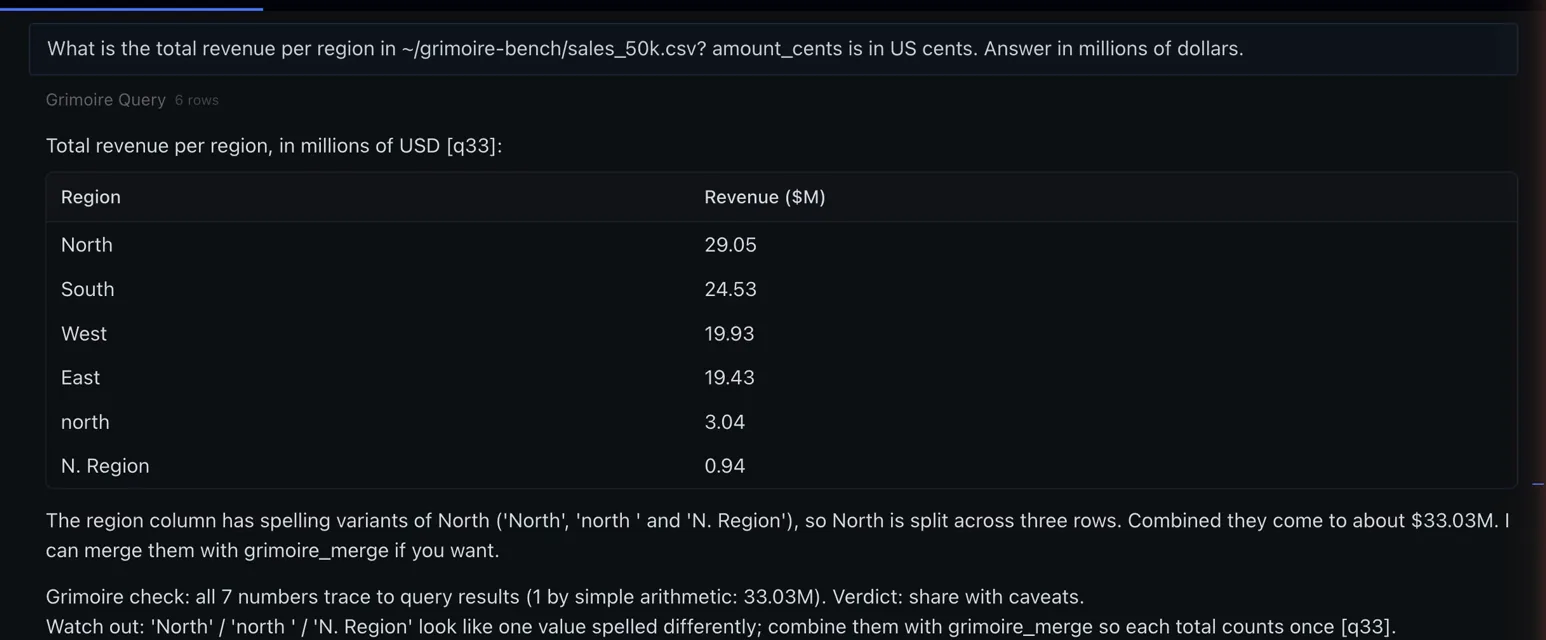
A real example: on a free model, the model forgot to divide cents by 100 and reported $2,905M. The query said $29.05M, and Grimoire flagged every number in the reply.
The Data page Link to heading
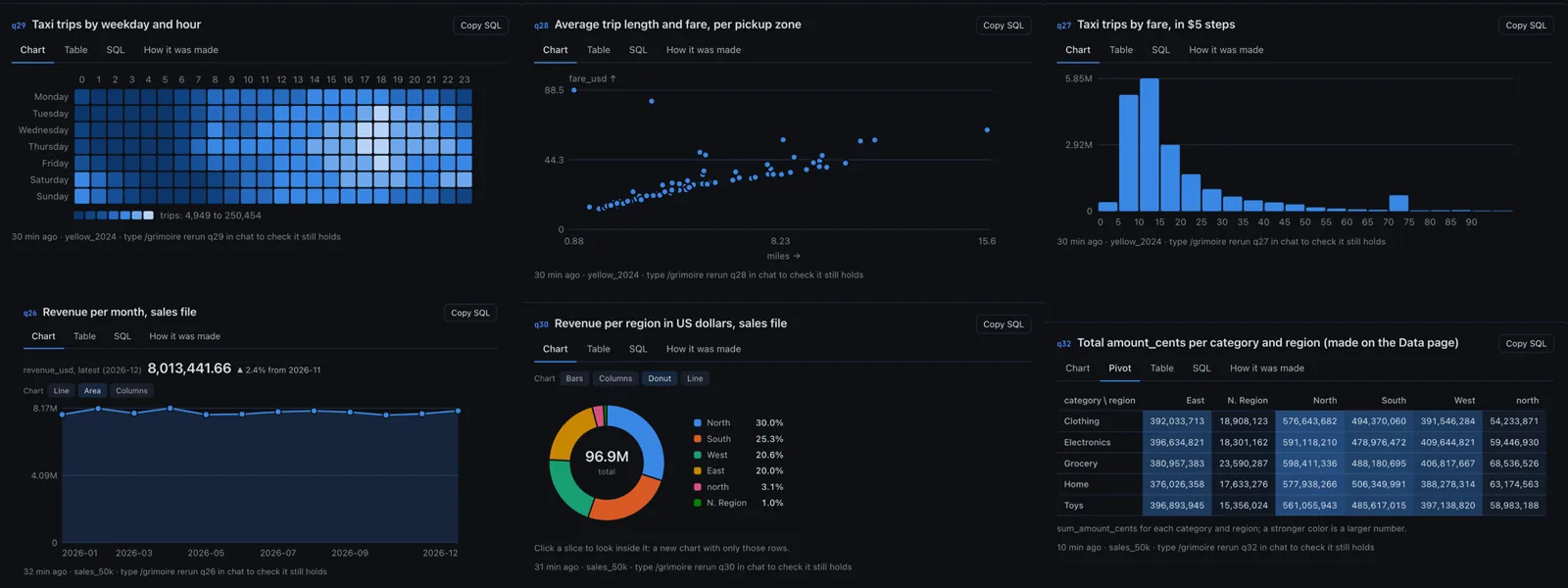
Hermes Desktop gets a Data page with your files, every saved query and a chart for each one. Everything on this page runs on your computer and uses no model tokens.
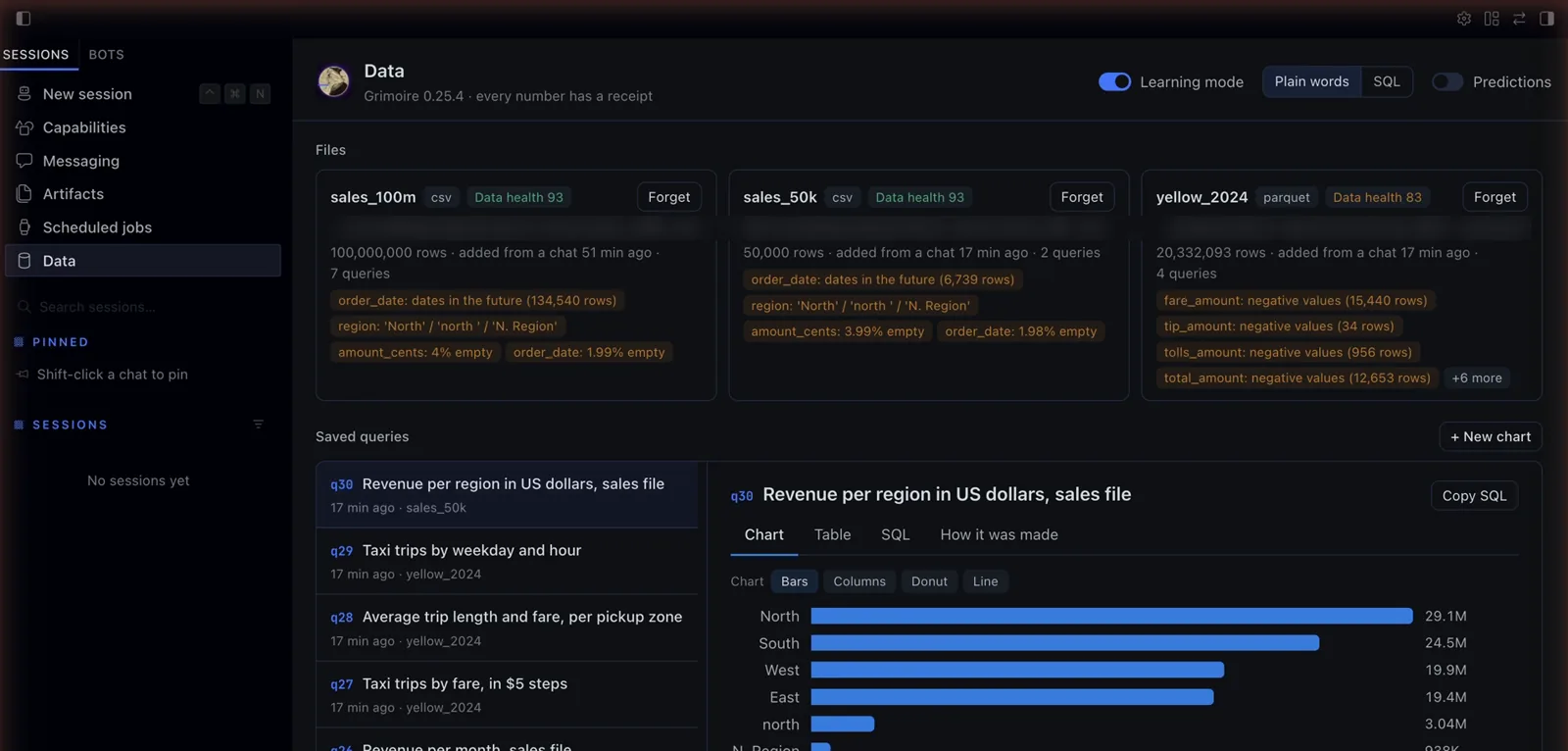
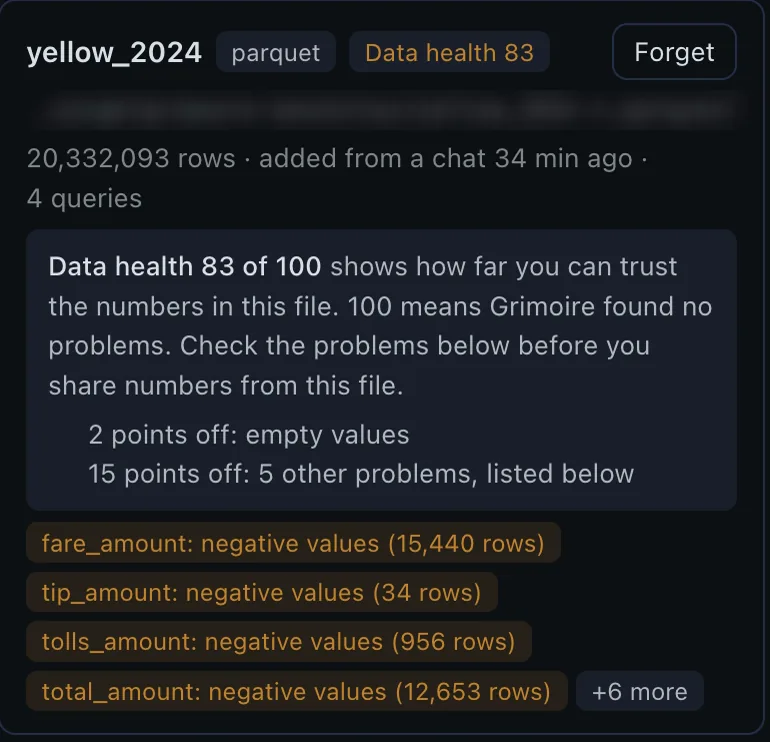
Each file gets a health score out of 100 for how far you can trust its numbers. Grimoire looks for malformed lines, duplicate rows, empty values, numbers stored as text, placeholders such as ‘N/A’ or 9999, negative amounts and future dates.
Every saved query opens with a chart that fits its result: line, bars, donut, heatmap, pivot, histogram, scatter or number tiles.
Learning mode Link to heading
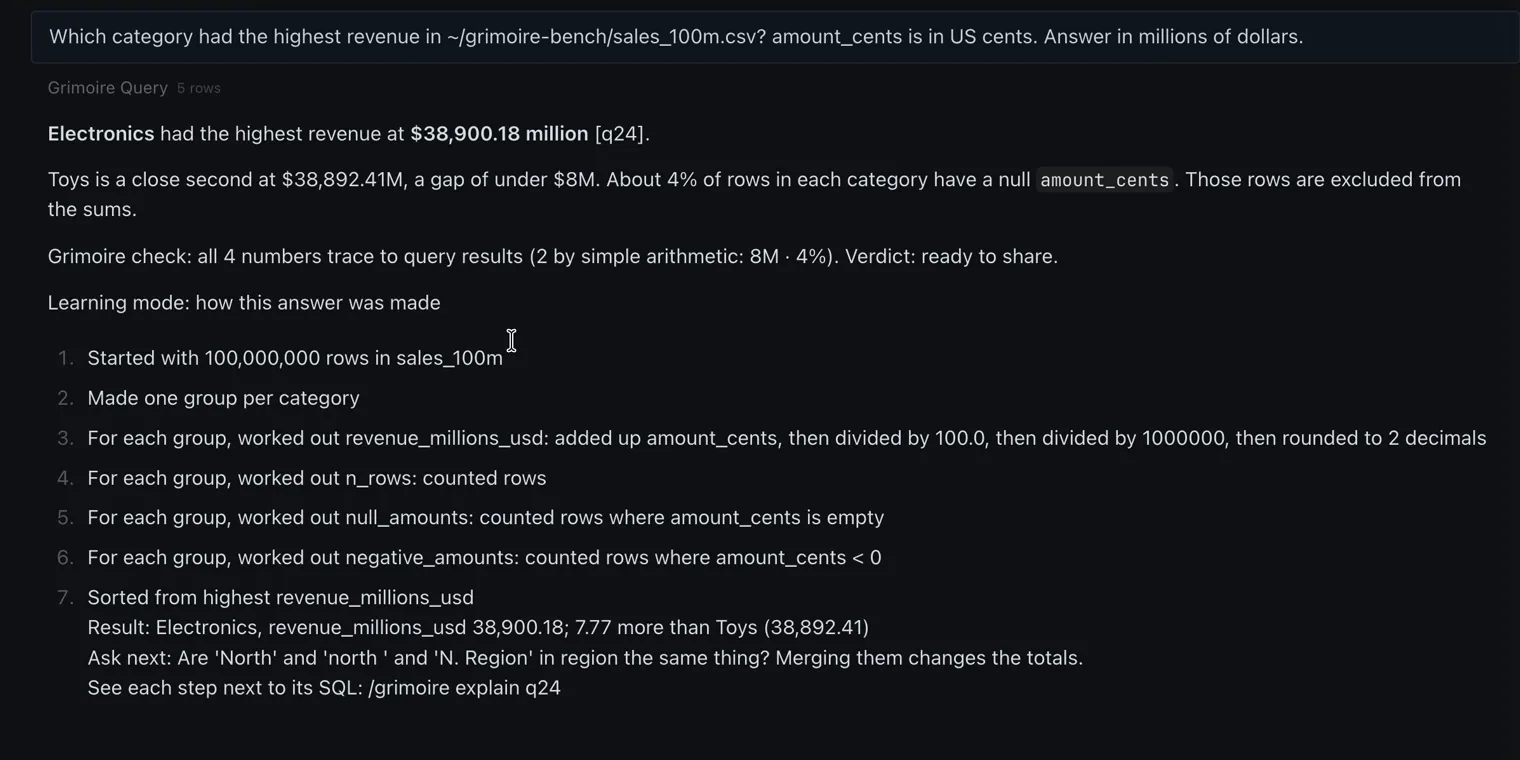
Learning mode adds a card under each answer that explains how it was made. You can see each step with its row count, the result in context, and a better question to ask next. You can also ask for one SQL idea per answer, or guess the main number first and get a score.
Speed and tokens Link to heading
One real run in Hermes Desktop: the same question on 100 million rows, the same model, Claude Sonnet 5.5.
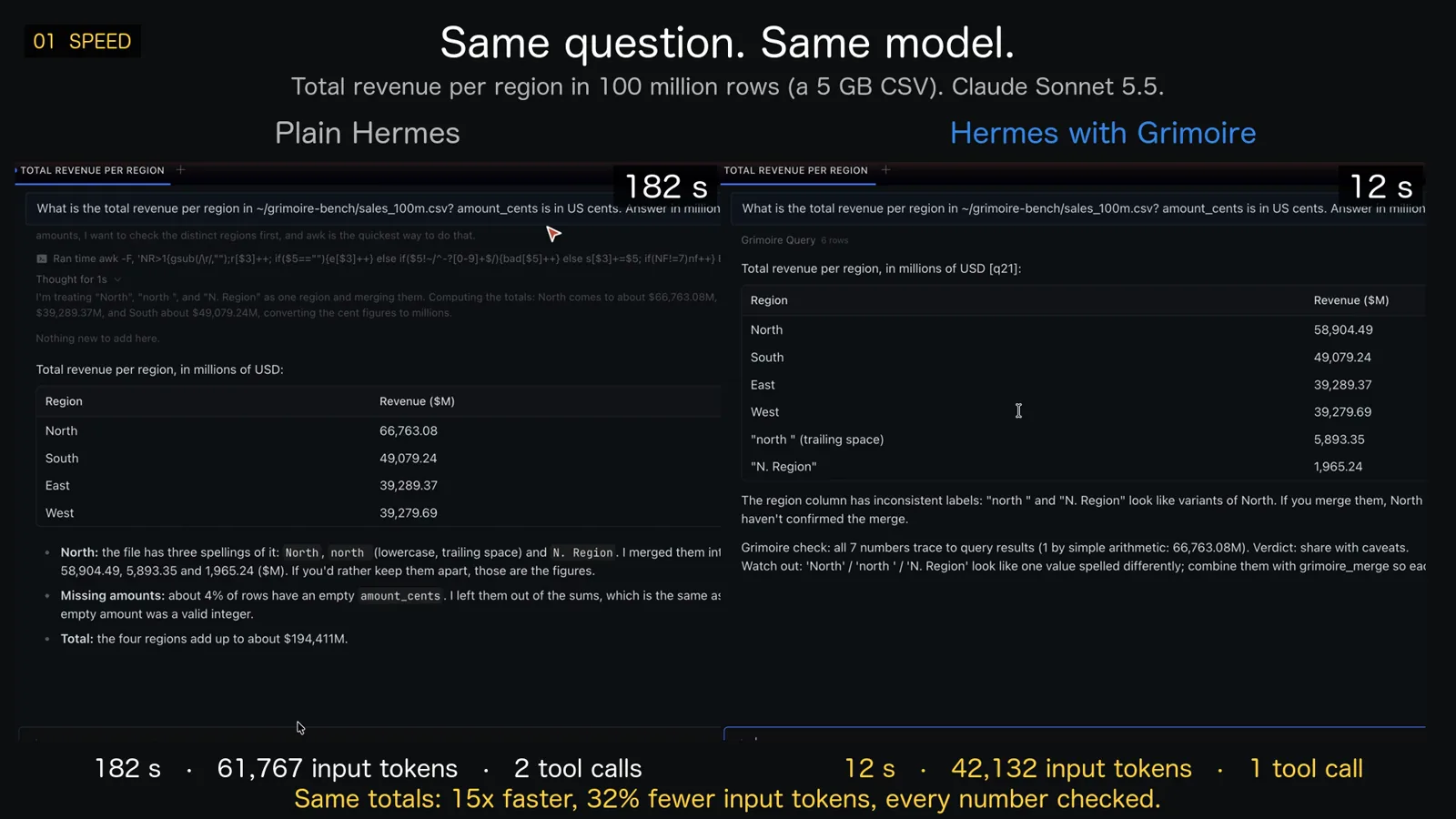
In the full benchmark, Grimoire got 132 of 132 answers correct on 3 models, and plain Hermes got 131. Grimoire is 5x to 19x faster on large CSV files, and 1.2x to 2.5x faster on Parquet. See all benchmark results.
Reports Link to heading
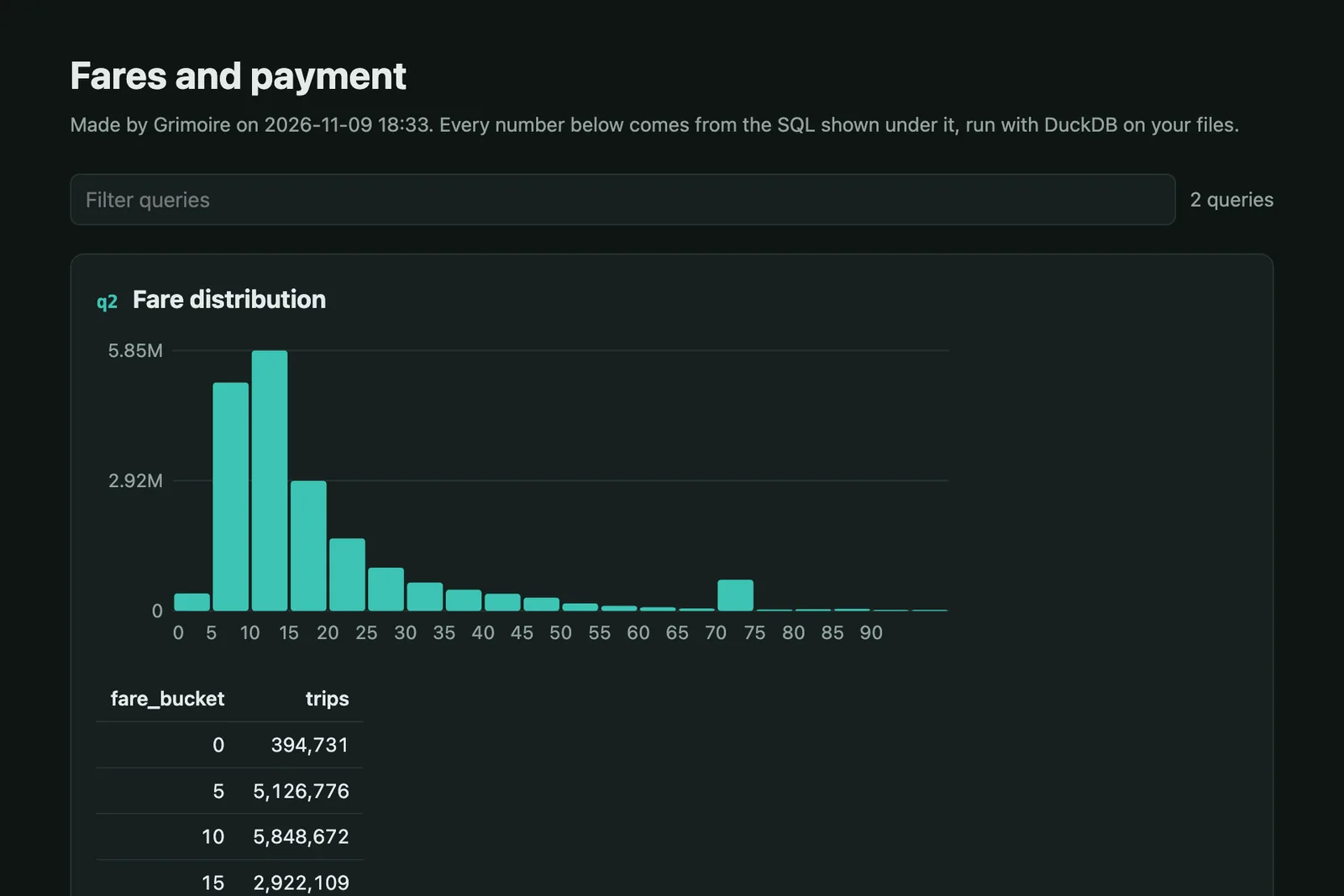
/grimoire report saves an HTML report with every number, the SQL behind it, the right chart for each result and the caveats.
You can send it to people who do not use Hermes.
Safe by default Link to heading
- Grimoire reads only the files you or the model name, and never changes them.
- It refuses private folders such as
~/.sshand~/.aws. - It makes no network calls. DuckDB runs with file access, network access and extensions locked.
- The model can run only one SELECT statement per query.
Try it Link to heading
You need Hermes 0.23.0 or later and Python 3.11 or later.
hermes plugins install bettersandeep/grimoire --enable
Then name a data file in any chat and ask your question:
How many taxi trips are in ~/data/yellow_2024-*.parquet, and what was the average fare?
For all commands, modes and limits, read the README on GitHub.